


Last time
80kg
- 8
- 8
- 7
One rep short on the last set
Workout log · iPhone
SupaSet puts last session's numbers in every row, picks your next weight when you've earned it, and keeps working with no signal at the back of the gym.

01 The logger
Each set shows what you did last session beside the fields you're about to fill. Leave them empty and checking the set logs those numbers. Most sets take one tap.
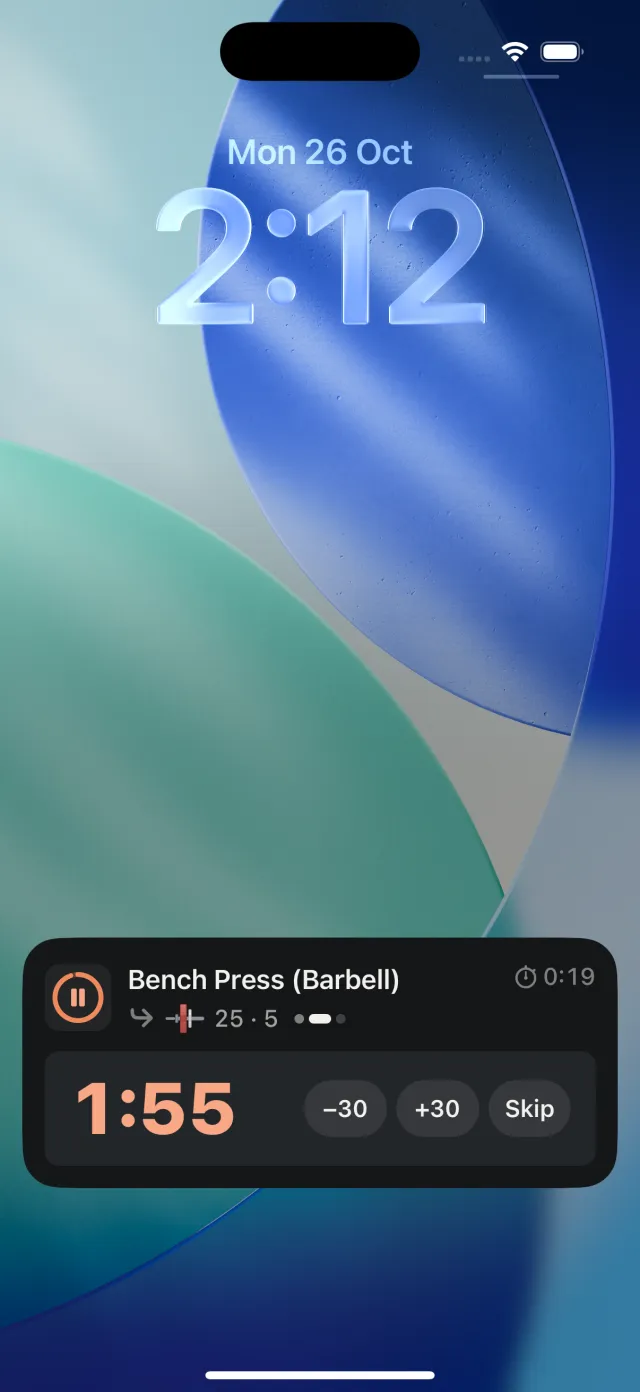
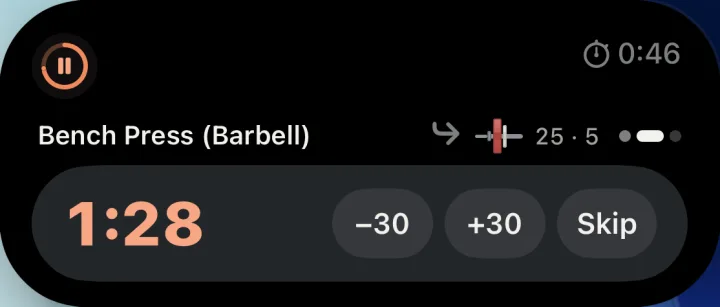
The rest timer starts when you check a set. Add or take off 30 seconds, or skip it. It's on your Lock Screen and in the Dynamic Island too, with the plates for your next set, so you can load the bar while you rest.
Pick a method once (Classic, Bar First, Adaptive, SupaSet Ramp or your own) and every barbell lift gets warm-up sets rounded to plates you can actually load.
Before anything saves, a review shows what you lifted and catches sets you typed but didn't check. Then the summary leads with your best lift, ready to share.
02 Plate math
Type a weight and SupaSet loads the bar for you, with the fewest plates, in the colours you see at the rack. If your plates can't make that weight, it offers the closest ones you can load.
Try it. This works like the calculator in the app.
25 + 15 a side
Tap a plate on the bar to take it off.
Add to each side
03 Progression · Pro
Turn progression on for a program or a saved workout. Hit every rep target and SupaSet moves you up next time. Miss one and the weight stays put. You choose the rule, and the app shows you how it decided.
Last time
80kg
One rep short on the last set
Today
80kg
Every target hit
Next time
82.5kg
Back to the bottom of 6–8
Shown: Reps first, move up after one workout. You can also use Top of range, or wait for two in a row.
04 Progress
Every lift has its own page: estimated max, top sets and amount lifted, plus your best set at each rep count.

A new record says what it beat and by how much, and gets a gold edge in the logger.
Your usual week, your best one, and a streak that counts weeks, so rest days don't break it.
27 weeks in a row1 workout this week
A month of training on one calendar, shaded by how much you did. Open any workout to repeat it, or fix a set, the date or a note.
October
15 workouts · 15 days · 103k kg


05 Programs · Pro
Tell it your level, how many days you can train and what you're after, and pick from 32 ready-made programs. Or build your own from your saved workouts. Saved workouts can have variations too, so heavy and light days take turns on their own.
Once a plan is running, it keeps your place. Train opens on the next workout, and the plan shows the cycle you're in and what's left of it.
06 Your data
Everything saves to your iPhone first. No signal at the gym? It doesn't matter.
Open it and start logging. Sign in with Apple or Google later if you want to.
Import past workouts from another logging app and keep your records and trends.
Export everything as CSV whenever you like. SupaSet can import that file back in.
07 Questions
SupaSet isn't on the App Store yet. It's in testing now, and this page will link to it when it's out.
Any iPhone that runs iOS 26.
Logging, history, records, stats, warm-ups and the plate calculator are free. Progression, programs, next-set tips and the assistant come with SupaSet Pro. Prices will be announced at launch.
Yes. You say whether a weight is per hand or the total, and what a machine's stack shows, and SupaSet remembers it for each lift. Assisted and weighted bodyweight lifts, timed holds and carries all have their own sets and records.
Yes. Each place keeps its own equipment, bars and plates, so warm-ups and plate maths match what's in the room.
Either, and you can switch whenever you like. Your history doesn't change when you do.